What kind of captures can I load?+
Load standard NAM A1 and NAM A2 files into the pedal or amp stages—from overdrives and boosts to preamps, amplifiers and full rigs. NAM A2 files may contain multiple related submodels and embedded metadata. The Cabinet / IR stage loads WAV impulse responses in Single or Dual IR mode. In Dual IR, load two cabinets, set independent levels and Low / High Cut filters, adjust optional alignment delay and blend A/B. Presets retain both IR files and all associated settings.
How does Dual Cabinet / IR work?+
Choose Dual IR in the Cabinet / IR module, load IR A and IR B, then move the Blend A/B control to combine them. Each side has its own Level, Low Cut and High Cut settings, while optional Alignment Delay lets you fine-tune phase interaction and transient focus. Both files and every Dual IR parameter are saved and recalled with the preset.
Can I use NAM A2 Player as an AUv3 plug-in?+
Yes. AUv3—Audio Unit version 3—is Apple’s plug-in format for using compatible instruments and effects inside iPhone and iPad music hosts or DAWs. Add NAM A2 Player to an audio track or effects slot in a compatible AUv3 host, then build and control your rig while the host manages the session and audio routing. Module-specific TONE3000 browsing works inside the plug-in, and compatible hosts can send CC messages through the NAM A2 Player MIDI entry for controls such as Wah expression and effect bypass. In standalone, NAM A2 Player can itself host compatible third-party AUv3 effects. Third-party effect hosting is unavailable while NAM A2 Player is running as a plug-in.
How does the Wah module work?+
Wah is a dedicated module directly after Noise Gate and before Pedal, Boost and NAM. Choose Classic, Vintage or Modern, then adjust Position, Range, Resonance and Level. Use MIDI Learn to map Position to an expression pedal and assign Wah bypass to a footswitch. Wah selection and settings are stored with the preset; presets created before version 4.6.26 load with Wah unselected, so their sound remains unchanged.
Can NAM A2 Player host third-party AUv3 effects?+
Yes, in standalone mode. Load compatible third-party AUv3 effects into Noise Gate, Wah, Pedal / Comp, Modulation, Delay and Reverb. Each slot saves the selected plug-in and its settings with your preset, incoming MIDI can be forwarded to hosted effects, and optional Tails switches let hosted Modulation, Delay and Reverb decay naturally after bypass. Hosted AUv3 effects require stereo output: if an AUv3 preset is loaded while PA / Amp Split is active, audio stops safely and the app explains how to continue. Hosting is unavailable when NAM A2 Player itself runs as an AUv3 plug-in.
How does Live Mode work?+
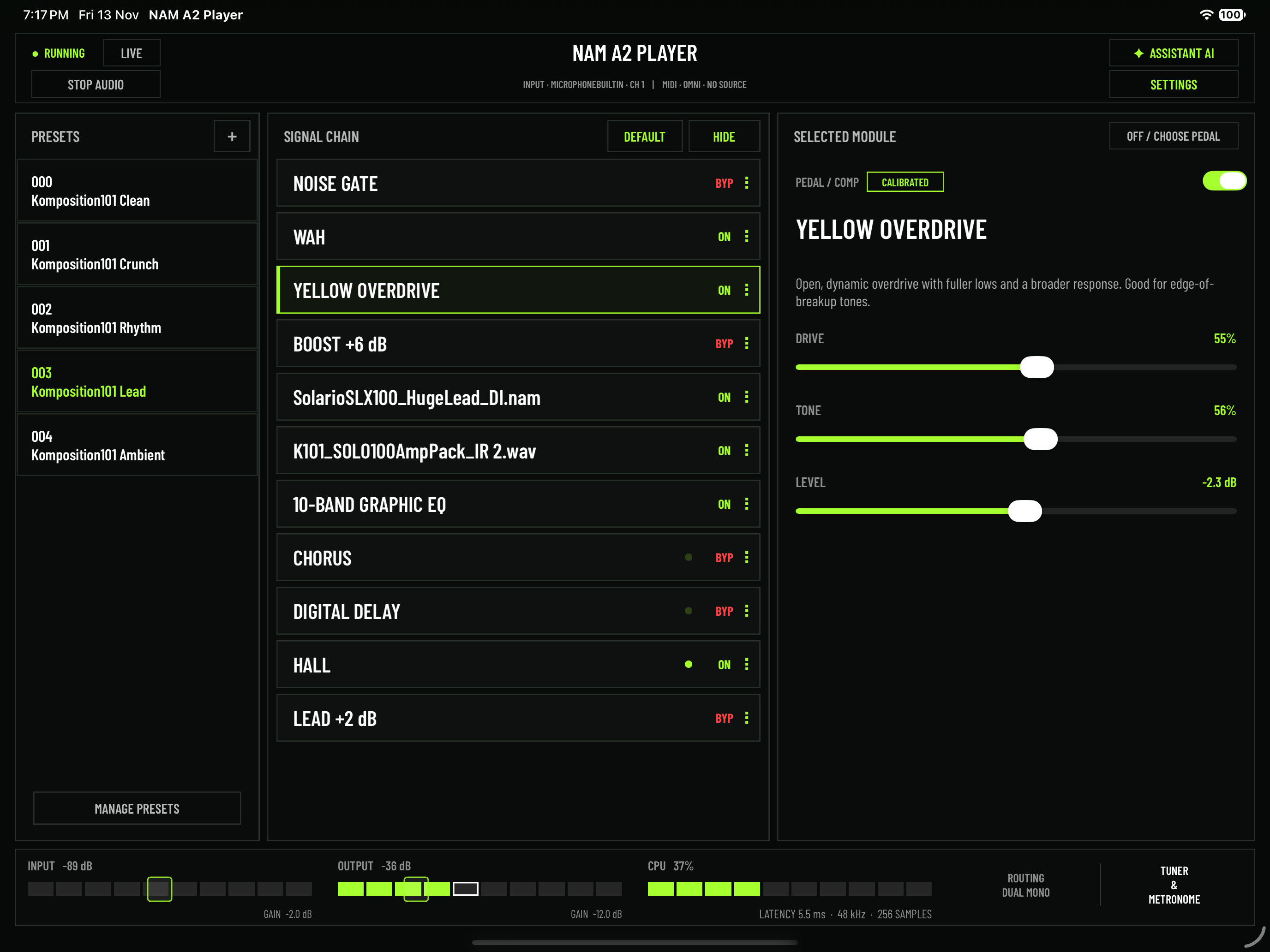
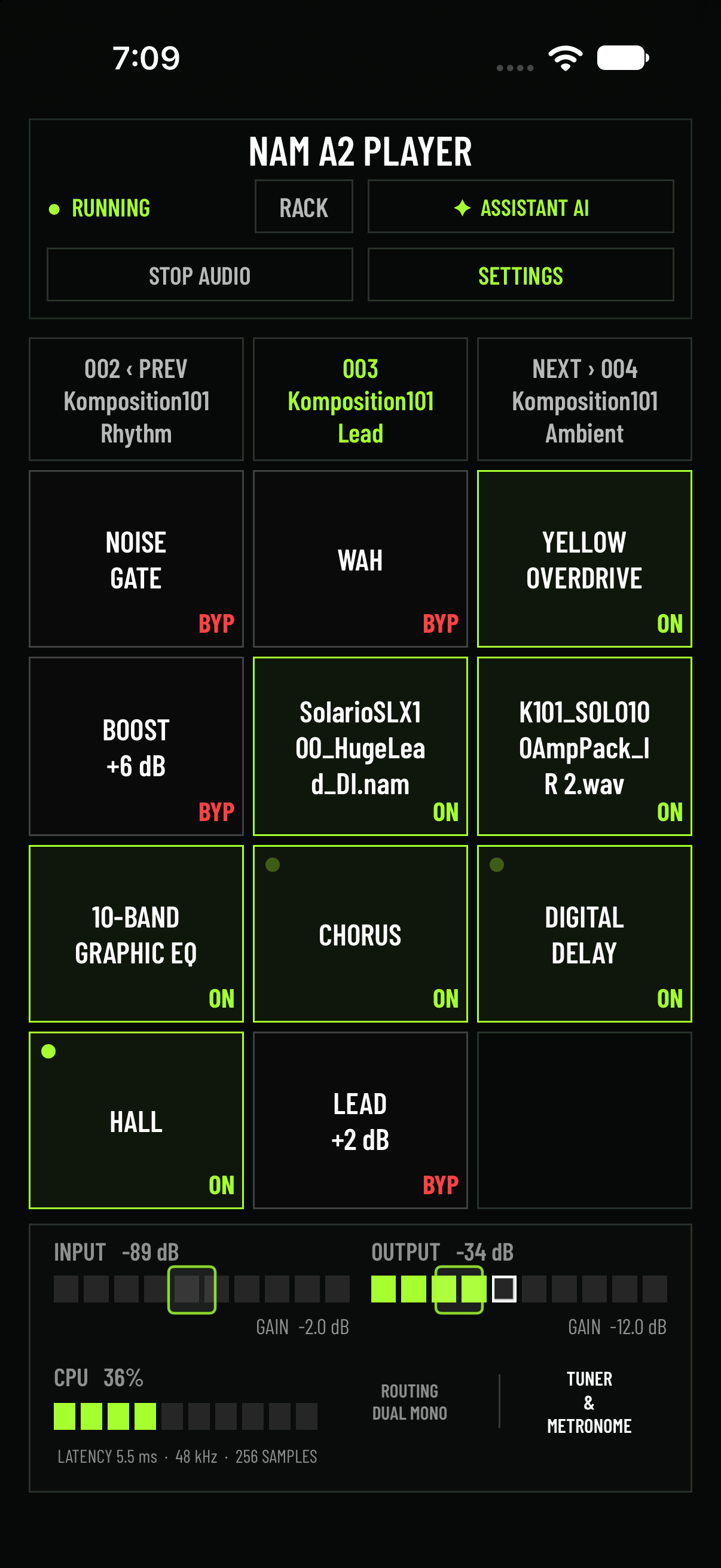
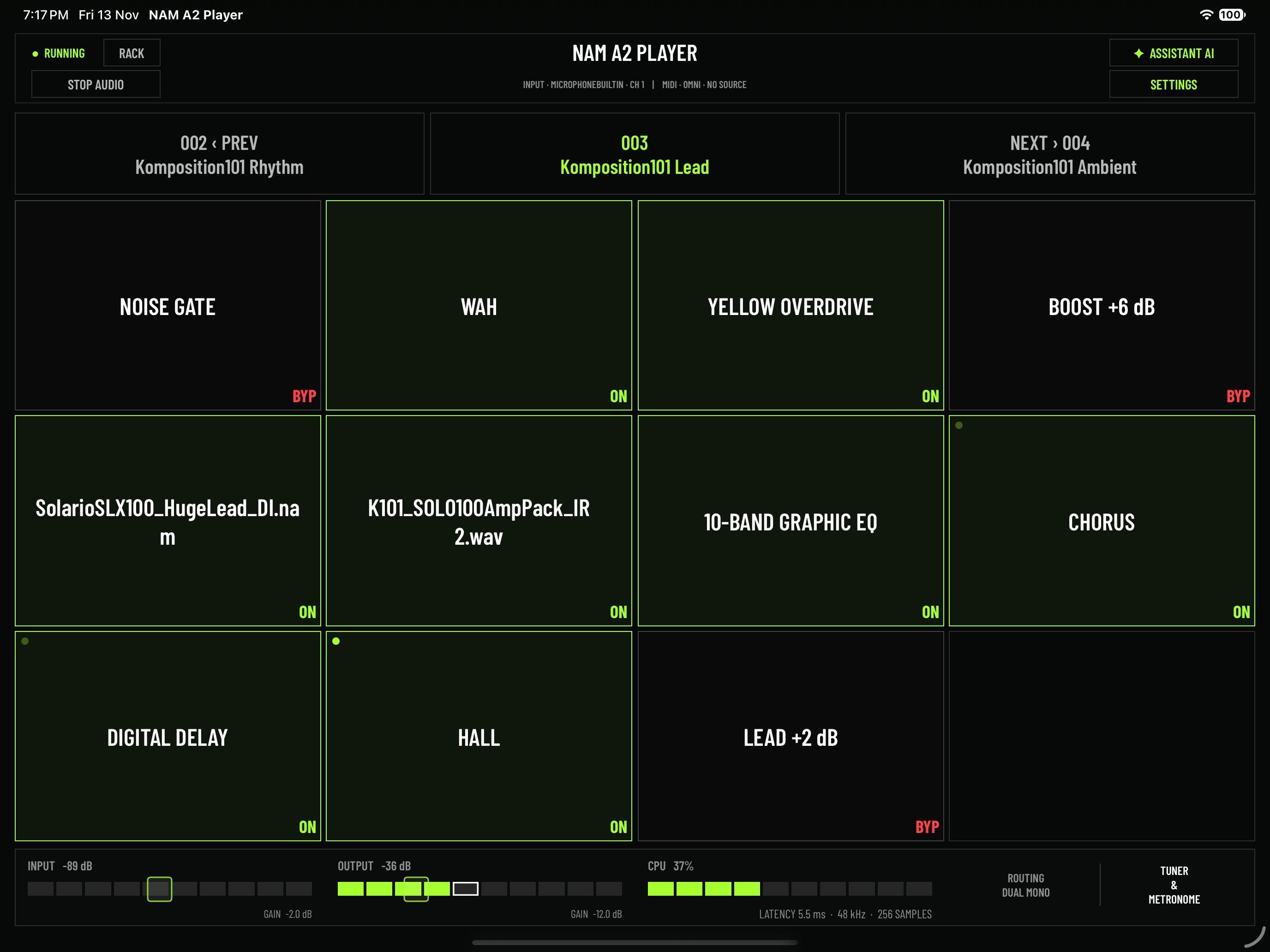
Live Mode is a standalone performance view. Tap LIVE beside the audio status to open it. Numbered PREV and NEXT buttons show the preset each action will load, while the current preset stays centered in green. Tap any of the eleven effect tiles to toggle that signal-chain stage; names can span three lines and ON / BYP remains fixed in the lower-right corner. Modulation, Delay and Reverb keep their activity dots, while the complete header and input, output, CPU, routing and Tuner / Metronome footer stay visible. Tap RACK to return to detailed controls.
Can I rearrange the signal chain?+
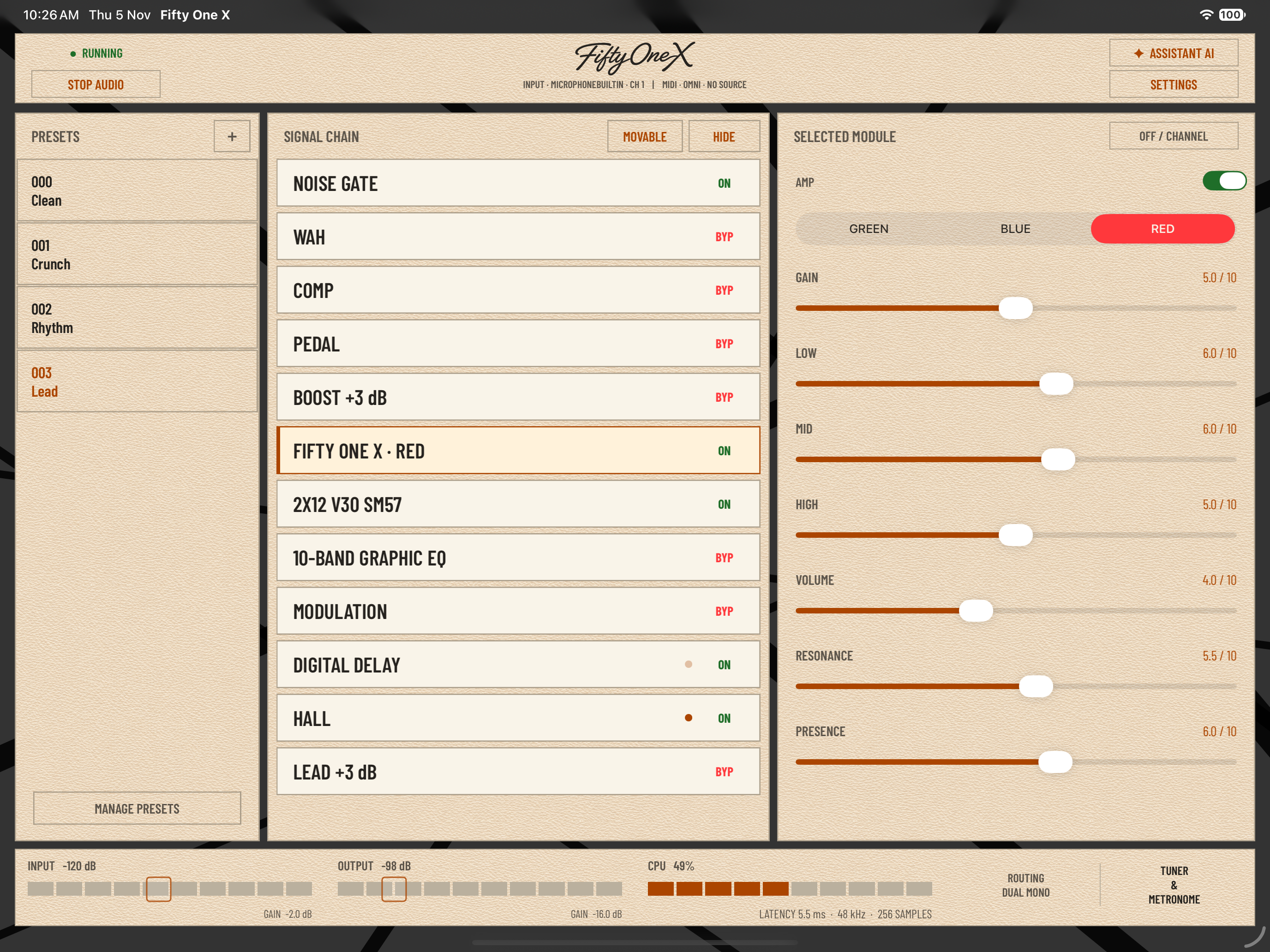
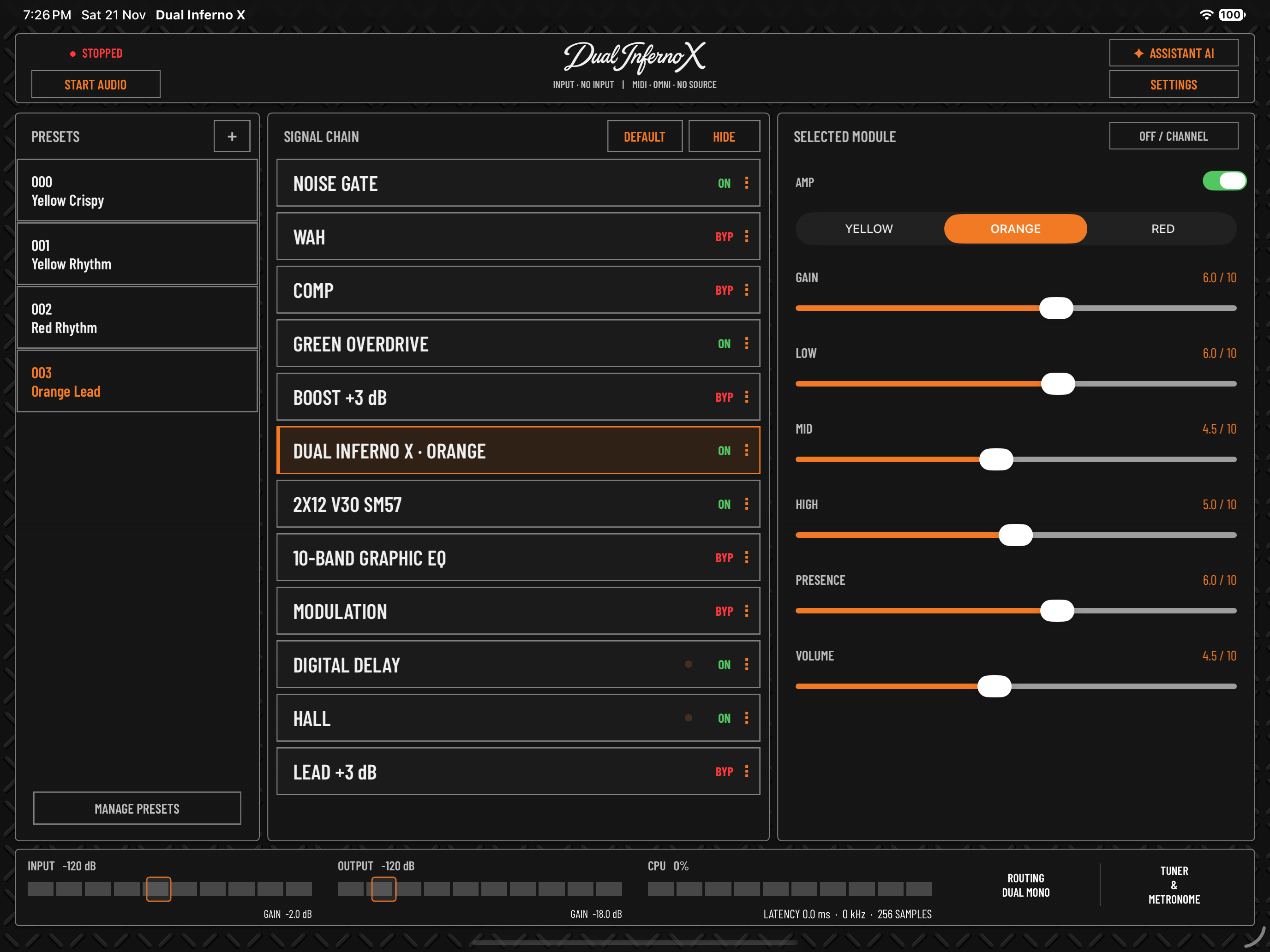
Yes. In standalone or AUv3, tap MOVABLE and drag the compact three-square handles shown directly beside the modules. Processing order changes live, and automatic scrolling helps when moving a block through a longer chain. Tap DEFAULT to restore the original order. Save the preset to retain the chosen order and mode; compatible AUv3 host projects retain them as well.
What can Assistant AI help me with?+
Assistant AI receives a read-only settings snapshot—not your audio—and uses it to provide focused suggestions without changing the rig automatically. Each question can include calibration status and corrections, the complete signal-chain order and bypass states, built-in FX settings, EQ, routing, hosted-effect details and metronome settings. In version 4.11.26 it understands movable blocks and order-aware calibration, so its advice follows your actual processing order. Its knowledge covers setup, levels, latency, gain staging, Noise Gate, Wah, MIDI, NAM A1/A2 captures and submodels, pedals, Single and Dual IR, EQ, modulation, delay, reverb, shimmer, AUv3 hosting, presets, TONE3000, live preparation and troubleshooting. It can provide practical playing and tone-building tips and answer music theory questions. Super is tried first, Lightning and Ultra provide fallback models, and the last successful model is preferred for the current app session. An internet connection is required.
How does NAM A2 submodel selection work?+
A NAM A2 file can bundle several related captures—such as different gain levels, channels or amp settings—inside one file. A badge shows how many submodels the file contains. Tap the NAM or NAM Pedal module to open its detailed view, inspect the A2 format, total model count, active model, architecture and available capture metadata, then use the previous and next controls to audition and select the submodel you want. Your selected submodel is retained with the preset, so the same variation is recalled the next time the rig is loaded. You can open the metadata view even when an A2 file contains only one submodel.
What audio interface & MIDI controller can I use?+
Use class-compliant audio interfaces supported by iPhone and iPad. Select the guitar input when an interface exposes multiple channels, monitor the peak indicators and choose a buffer down to 64 samples on supported setups. Core MIDI-compatible USB or Bluetooth controllers can use MIDI Learn, global CC assignments, OMNI or channels 1–16. In standalone, MIDI can also be forwarded to hosted AUv3 effects. Inside a compatible host, select the NAM A2 Player MIDI entry to send CC messages directly to the plug-in and confirm them with its activity indicator and recent-message history.
Does NAM A2 Player include a metronome?+
Yes, in the standalone app. Set any tempo from 1 to 400 BPM, use Tap Tempo to match a song, adjust click volume and enable the beat accent to make the start of each measure easier to follow.
How do Quick Access Libraries work?+
Pedal, NAM and IR each have a separate Quick Library that can hold up to 100 compatible files. Audition entries without closing the list, reorder them to match your workflow and import or export each library independently. Imports merge with the existing library instead of replacing it and skip identical files. A model list returned by TONE3000 can also be added to its matching library without changing the files currently loaded in your rig.
What does Audio Calibration do?+
Every audio interface converts the guitar’s analog signal at a slightly different level. Calibration lets NAM A2 Player compare your interface’s reference with calibration data stored in a compatible capture, then correct the level entering the model so it is driven more like the original gear was during capture. It adjusts input level—not EQ—and can therefore affect gain, compression and sustain while preserving the model itself. For the most accurate reference, use the interface’s Instrument / Hi-Z input, keep its gain at minimum and enter the manufacturer’s “Maximum Input Level at minimum gain” value in dBu; use the correct figure if a pad is engaged. Captures without valid calibration metadata are never assumed to be 0 dBu, and Pedal and NAM show their status separately. Calibration is optional, so you can leave it off to preserve existing capture levels or still adjust gain by ear. Read the TONE3000 NAM Calibration Guide.
Where can I find NAM captures and IRs?+
Open TONE3000 directly from the module you are editing: browse IRs from Cabinet / IR, or choose NAM A1 / NAM A2 from the NAM and NAM Pedal modules. The downloaded capture returns directly to the originating slot, or add all models from a returned list to the matching Quick Library without replacing the current rig. This workflow is available in both standalone and AUv3. You can also load compatible files through Files from iCloud Drive, On My iPhone or iPad, external storage or another available location. Complete preset ZIP packages can include their required NAM, NAM Pedal and both IR assets for backup, transfer or sharing.